Gen12/WS2022/SW installation via SPP
HPE Gen12/iLO7 환경에서, Windows Server 2022를 설치 시, OS 패치 버전에 따라, SPP를 통해 SW(firmware/driver) 관리에 제약이 발생할 수 있다.
HPE Gen12 System은 과거에 세대 시스템에서 사용했던 CHIF(channel interface driver) 방식을 더이상 사용하지 않고 iLO Virtual NIC - USB NCM (Network Control Model) 방식으로 전환했다.
이에, WS2022 출시 초기에는 사용되지 않던 방식이라 관련 지원을 위해서는 2024년 6월 패치에 포함된 NCM 드라이버가 설치되어야 한다.
참고자료:
Prerequisites for using the Virtual NIC
https://support.hpe.com/hpesc/public/docDisplay?docId=sd00005342en_us&docLocale=en_US&page=GUID-531F5A5A-9FA4-4C6B-9B04-35DF04D7E6E3.html
For Windows 2022, use the latest OS update. The update needs to be greater than 2024-6B or version 25398.950 or greater. The cumulative update containing NCM driver for this is KB5039236.
Windows Server release information
https://learn.microsoft.com/en-us/windows/release-health/windows-server-release-info
2026-07 B 2026-07-14 20348.5386
2024-06 B 2024-06-11 20348.2527
Windows Server, version 23H2
June 11, 2024—KB5039236 (OS Build 25398.950)
https://support.microsoft.com/ko-kr/servicing/os/windows-server/2024/06/june-11-2024-kb5039236-os-build-25398-950
Windows Server 2022
June 11, 2024—KB5039227 (OS Build 20348.2527)
https://support.microsoft.com/en-US/servicing/os/windows-server/2024/06/june-11-2024-kb5039227-os-build-20348-2527
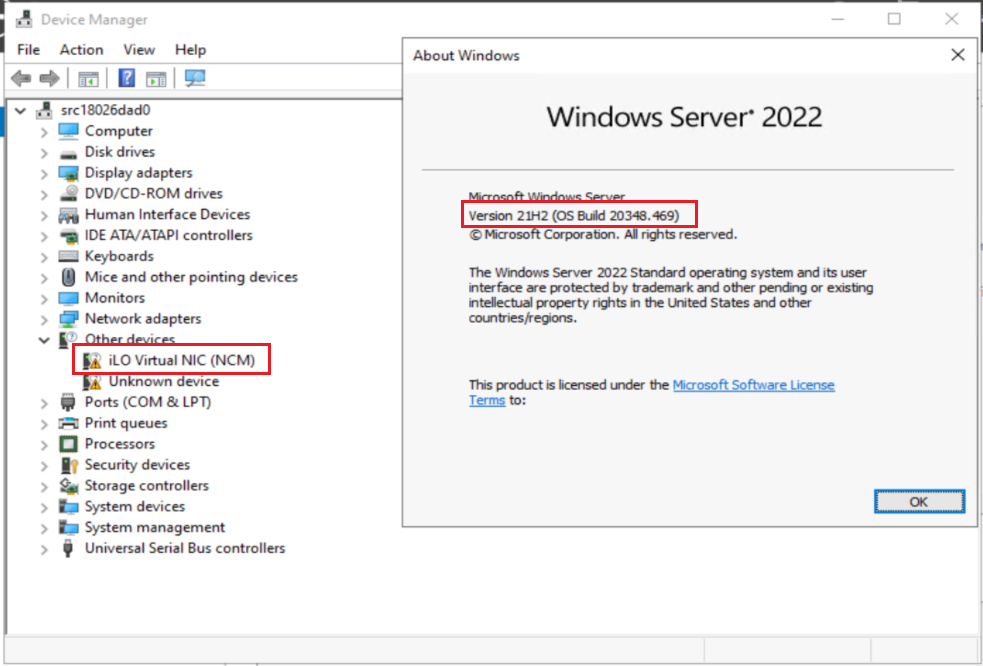
Note. DL325 Gen12 System에 WS2022를 Intelligent Provisioning을 통해 설치
그럼에도 NCM Driver가 인식되지 않아 장치가 정상 인식되지 않은 것을 확인할 수 있음
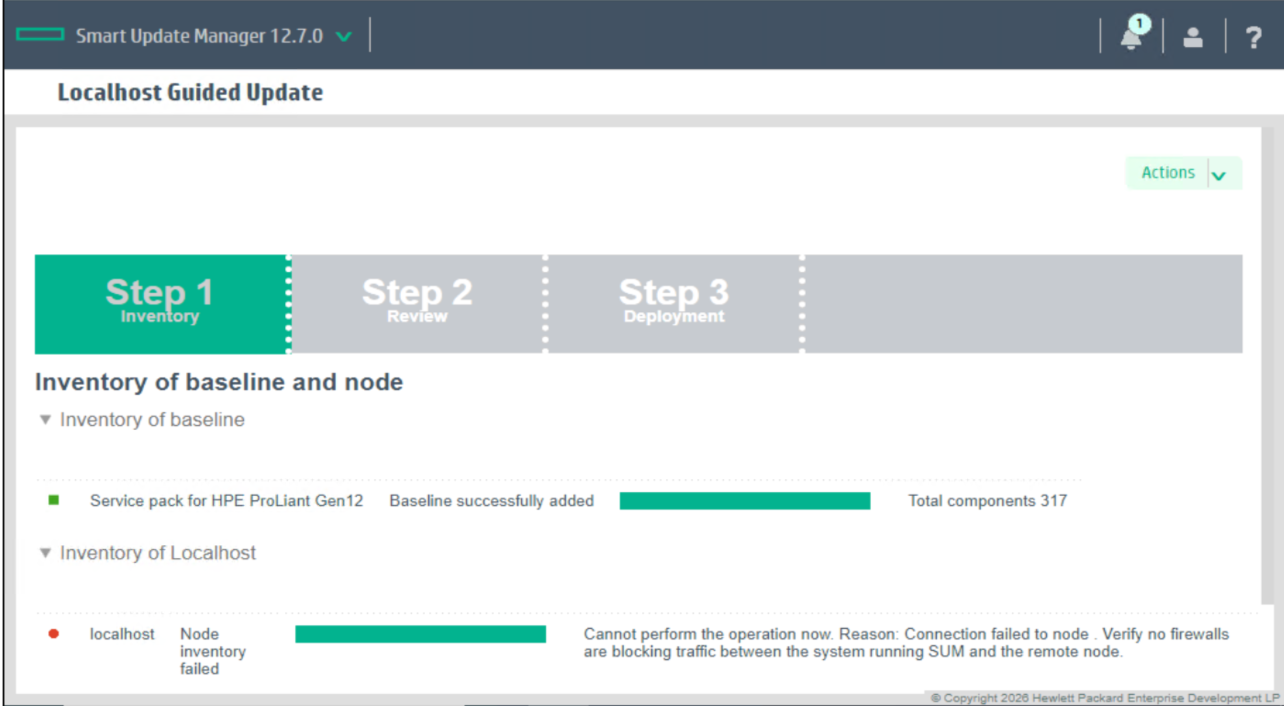
SPP를 구동 시, iLO와 통신할 수 없다는 오류 표시됨.
"Cannot perform the operation now. Reason: Connection failed to node. Verify no firewalls are blocking traffic between the system running SUM and the remote node."
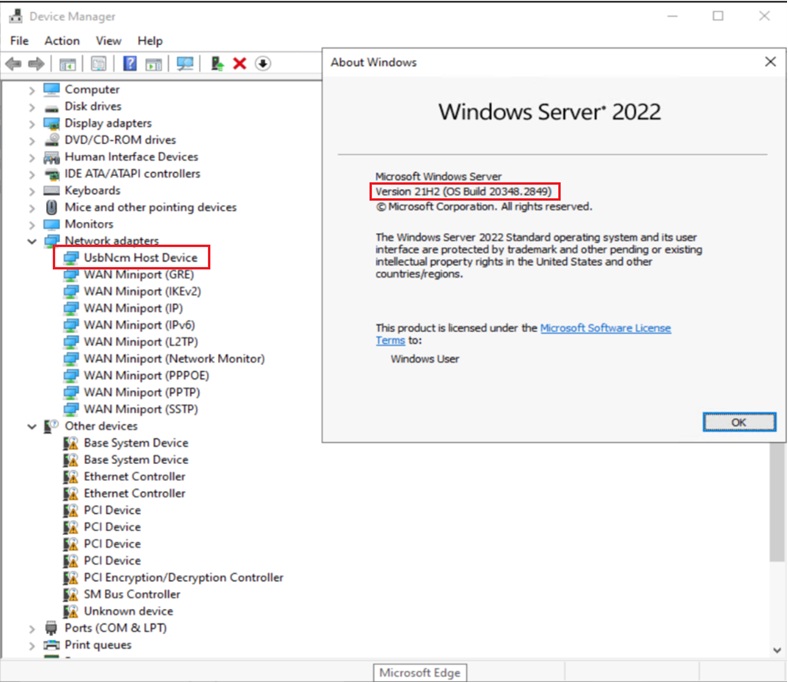
Note. DL325 Gen12 시스템에 2024년 11월 패치가 포함된 WS2022를 단순 설치
IP를 통하지 않았음에도, OS 자체적으로 NCM driver가 설치되어 있음을 확인할 수 있음.

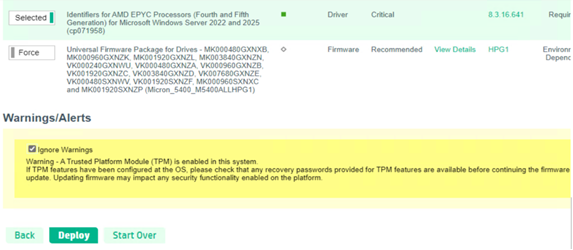
SPP Inventory가 정상적으로 진행되고, 배포 역시 이상 없이 가능함을 확인 할 수 있다.